Getting Started
Welcome to AriseNote! This guide will help you understand how AriseNote works and how to integrate your Notion workspace with our widgets.
What is AriseNote?
AriseNote is a powerful Notion integration that not only provides embedded widgets, but also focuses on increasing your productivity and self-discipline through gamification. It provides a variety of interactive widgets that you can embed directly into your Notion workspace to visualize your progress, track habits, and stay motivated.
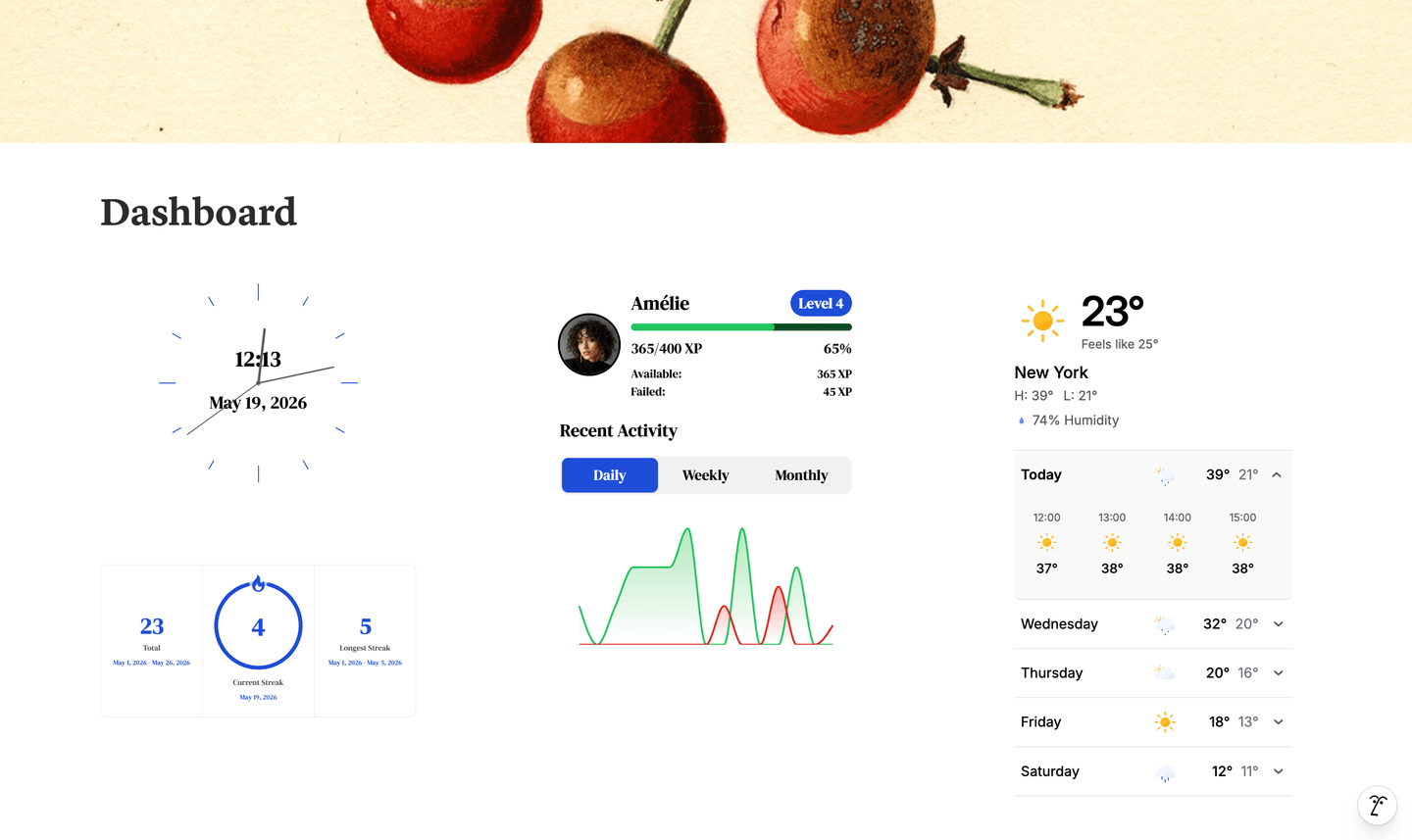
Why AriseNote?
We all create TODO lists in Notion. But staying consistent? That's the hard part. AriseNote addresses the common challenges of productivity:
The Problem You're Facing:
- You create TODO lists but forget about them after a few days
- You're working hard but it doesn't feel like you're making progress
- You lack accountability when working on personal goals
- Motivation fades quickly without visible feedback
How AriseNote Helps:
- Stay Accountable — Build streaks that create natural accountability. Miss a day, lose your streak. Simple psychology that actually works.
- See Your Progress — Watch your XP grow with every completed task. Your heatmap fills up, your level increases. What felt invisible becomes impossible to ignore.
- Keep Going — Gamification makes progress addictive. Level up, track consistency, and visualize patterns that keep you motivated.
AriseNote transforms your Notion workspace from a static database into a motivation engine that keeps you engaged with your goals.
How It Works
- Choose a Widget - Choose a widget type (e.g., heatmap, levels, clock, etc.)
- Connect Your Notion Account - Authorize AriseNote to access Notion pages of your choice
- Link Your Databases (if widget requires that) - Attach your Notion databases to the widget
- Embed in Notion - Copy the widget URL and embed it in any Notion page
Next Steps
- Create Your First Widget
- Connect Notion — required for Streak, Levels, and Heatmap widgets
- Connections — link databases and configure field mappings
- Widget Configuration — themes, fonts, and display options
- FAQ — common questions answered