Billing and Subscription
AriseNote offers a free trial and a paid Starter plan. Manage your subscription from Settings → Subscription.
Free Trial
Every new account starts with a 7-day free trial:
- Full access to all Starter plan features
- No credit card required to begin
- Create widgets, connect Notion databases, and embed in Notion during the trial
When the trial ends, you'll need an active subscription to continue using AriseNote. Widget embeds in Notion will stop updating until you subscribe.
Plans
Starter
The Starter plan includes everything you need for personal productivity gamification:
- XP tracking and level progression
- Create and manage widgets
- Access to all widget types
- Unlimited customization
- Connect up to 2 Notion databases per widget
- Quick-start template databases
- Full Notion integration
Subscribing
- Go to Settings → Subscription.
- Choose Monthly or Yearly billing.
- Click Subscribe on the Starter plan.
- Complete checkout via Stripe (secure payment processing).
- Your subscription activates immediately.
Managing Your Subscription
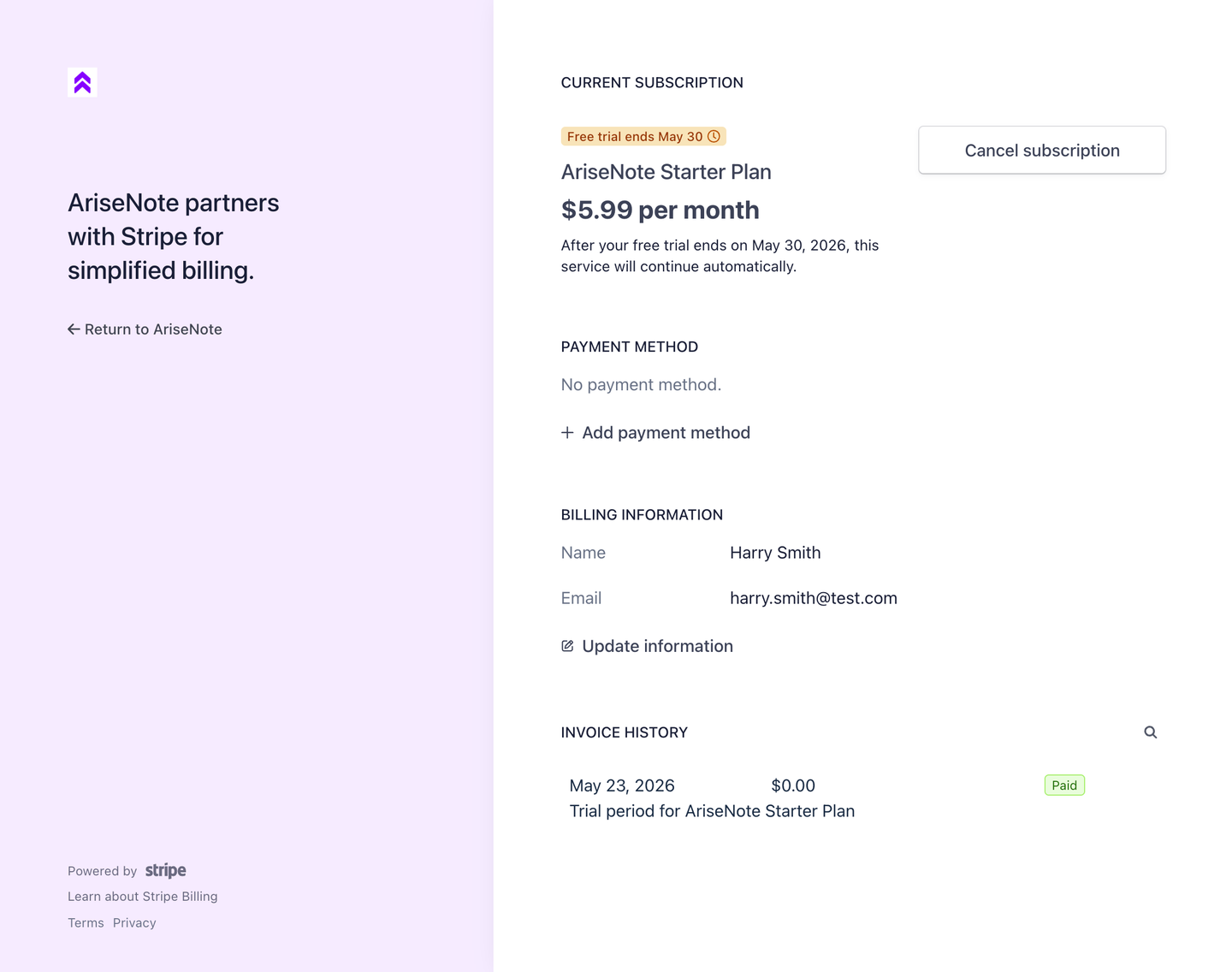
Once subscribed, use the Manage Subscription button to open the Stripe Customer Portal, where you can:
- Update payment method
- Switch between monthly and yearly billing
- View invoices and payment history
- Cancel your subscription
Cancellation
You can cancel at any time from the Stripe Customer Portal:
- Go to Settings → Subscription → Manage Subscription.
- Click Cancel plan in the Stripe portal.
- Confirm cancellation.
After cancellation, you retain full access until the end of your current billing period. Widget embeds stop updating when the period ends.
Payment Failures
If a payment fails, access will be suspended immediately. Please update your payment method promptly via the Stripe Customer Portal to restore access.